Monitoring Login History
Use
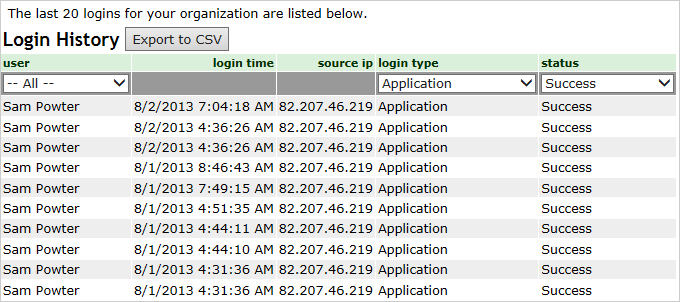
BUGtrack records every login for each user and allows monitoring login history both for entire system (all your account users) and for individual users. This feature is intended to track user logins for security reasons as well as control your team members’ timing.
Each login tracking record contains the following information:
- User name – BUGtrack username;
- Login date and time;
- Source IP address – the IP address of the computer from which the user logged in;
- Login type – shows whether a user used the BUGtrack’s web-based interface or a web-query to download / update your BUGtrack database;
- Login attempt status – records whether the login attempt was successful and, if not, why it failed.
Login history may be viewed in a list format (the system shows the last twenty logins) or downloaded (all logins).
Path
For system history: Admin tab – Administration area – Login History link.
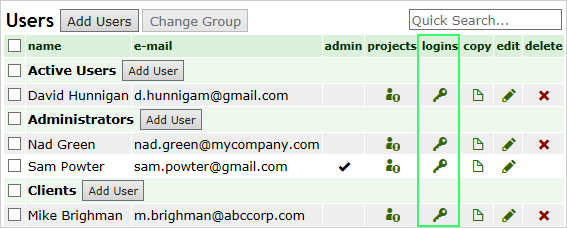
For a user’s login history: Admin tab – Management area – Users link.
Procedure
To download a complete system login history, click the Export to CSV button and save the CSV file on your computer.
To view and download a user’s login history:
- Click the Login History icon to the right of a corresponding user name in the list.
- The system will show last twenty user logins; a complete user’s login history can be downloaded to a file in the CSV format by clicking the Export to CSV button.
Next: Managing Subscriptions